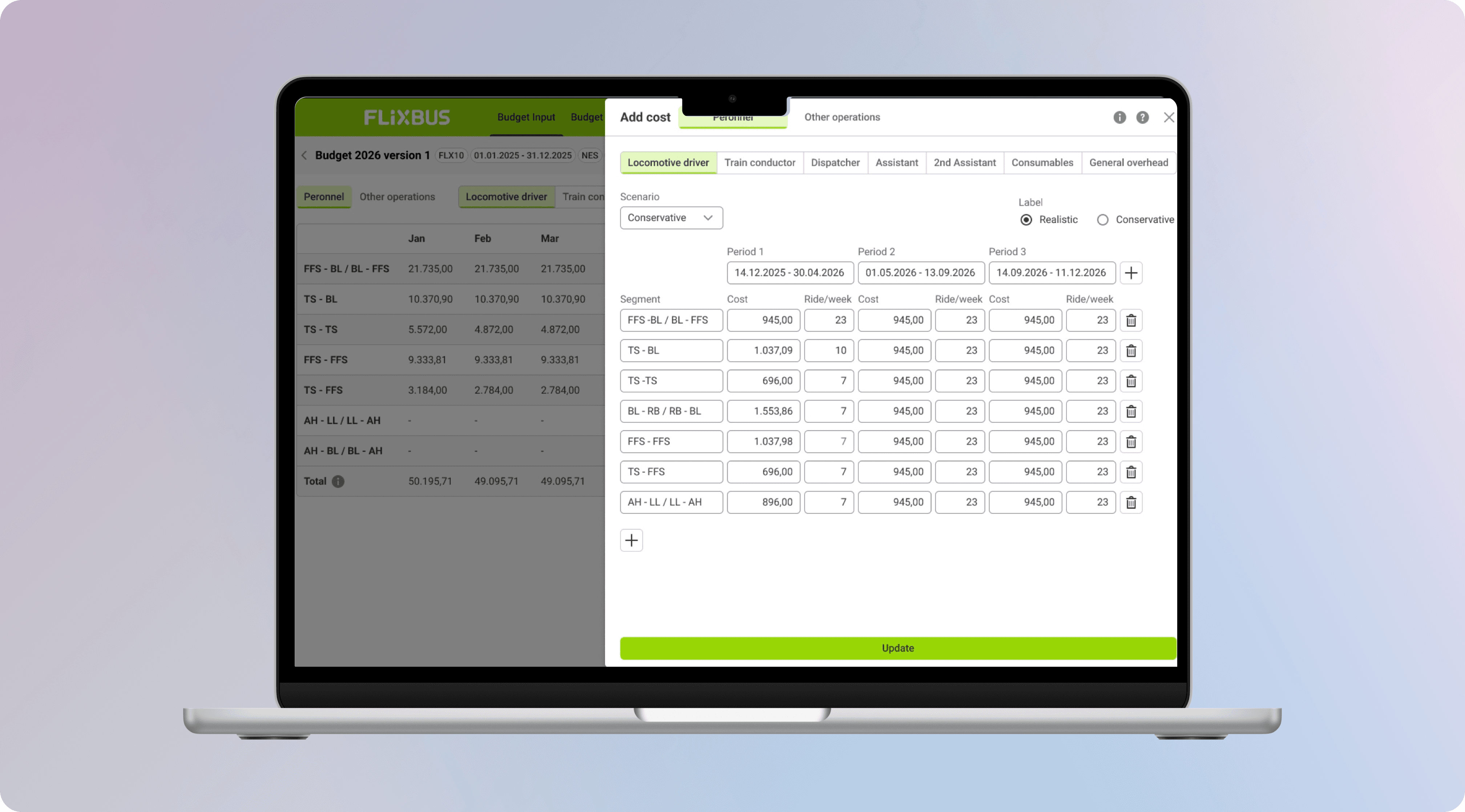
Case Study - Replacing a tangle of complex Excel files with a shared cost calculation AI tool
Greenfield
Multi-user Design
TIMELINE
6 months (2025 - 2026)
TEAM
2 designers, 1 PO, 3 engineers, 1 SME
COMPANY
Operations at FlixTrain
USERS
10
Project Overview
My Role: Senior Product Designer
I held a Senior title but operated at Staff level on cross-domain effort.
I owned
With the team
UI designer: component build • PO: scope • Engineering: feasibility
Goal
Replace tens of private Excel workflows with one shared tool - giving Account Managers a faster way to input and calculate operations costs, giving them real-time network totals, and making operations data accessible across the whole business for the first time.
Problem
Ten Account Managers running train operations costs across dozens of partners, each in their own private Excel file nobody else could read.
TL;DR
Stat #1
Stat #2
Stat #3
Each Account Manager had their own file, their own logic, their own layout. No two were alike. We found the shared mental model underneath all of them.
Some Account Managers think in lines and partners. Some think in network totals. Designing for both without building two separate products was the central design challenge.
The Situation
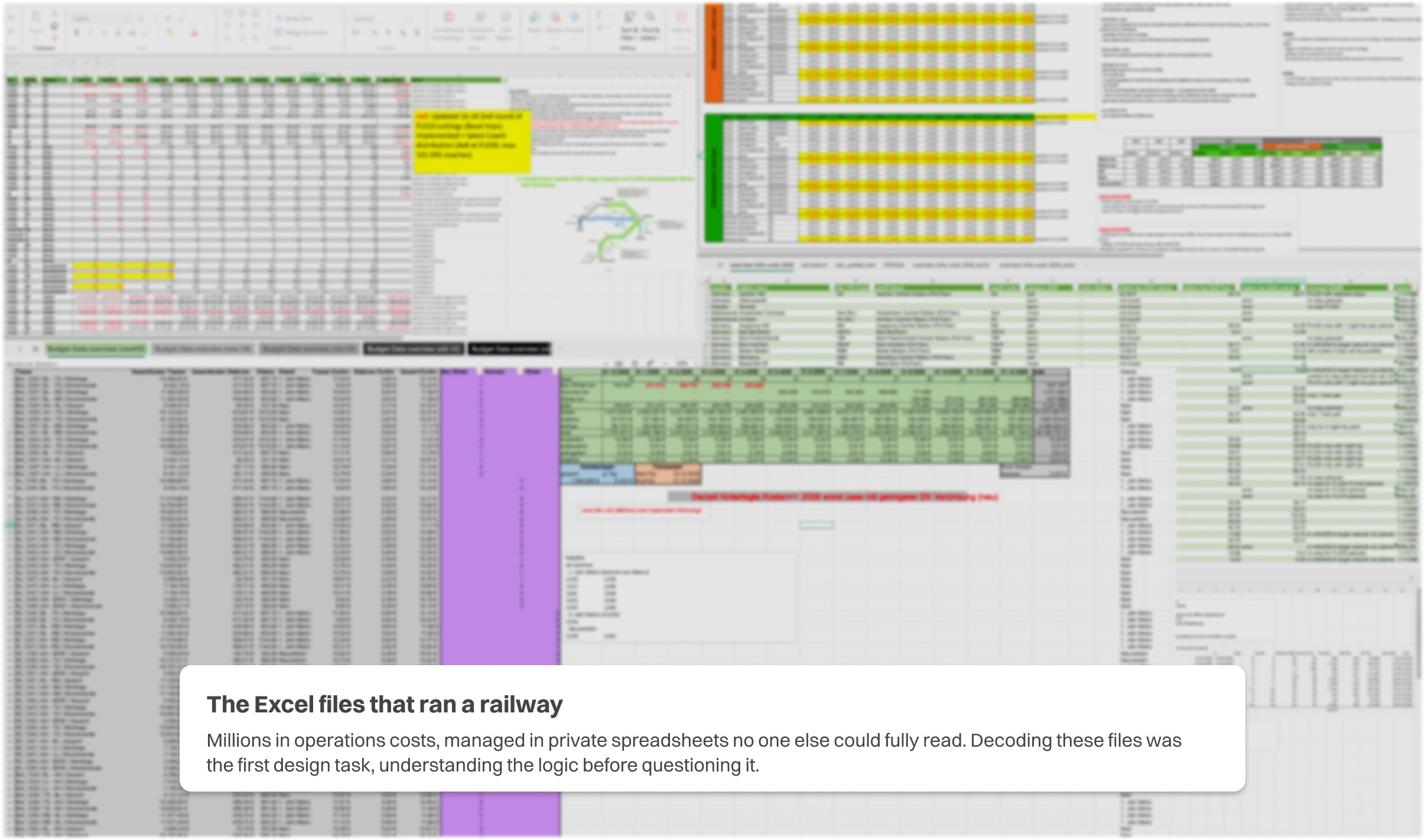
The real cost of running trains was locked inside ten people’s laptops.
Every year, before a train schedule even runs, Account Managers negotiate with dozens of partners - track operators, cleaning companies, station managers, maintenance providers. Each contract needs a precise cost calculation: cleaning per trip, electricity per km, parking per stop. All of this lives in Excel.
The problem wasn’t the numbers. It was that each manager had built their own file from scratch - their own logic, their own column structure, their own version history. When numbers needed to move to accounting, to partners, or to leadership, someone had to decode a file they’d never seen, reformat it into a layout the recipient expected, and send it back. Then do it again next week.
Knowledge locked in one person
If a manager was sick or left, their entire calculation history was gone. No handover document could replace the logic inside their head and their file.
Every audience needs a different layout
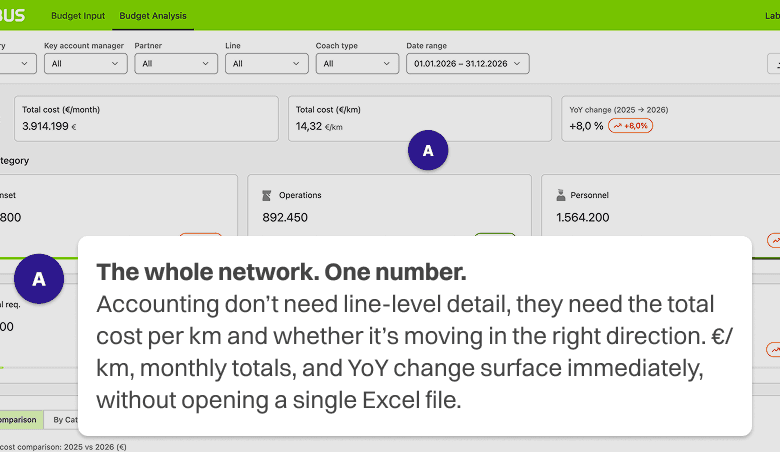
Accounting needed totals. Partners needed line items. Leadership needed one number. Each request meant hours of reformatting the same data by hand, every time.
No design strategy
Nobody had ever looked at the whole workflow end-to-end. Each team had patched their own solution. The result was a chain of disconnected Excel files with no single source of truth.
Design research
We sat with each manager individually and mapped their file - what goes in, what gets calculated, what gets shared and with who, and what they look at when making a decision. This was forensic research: no survey, no assumption, just following the actual data flow.
Cost architecture mapping
Alongside the sessions, separate deep-dives with the product owner and users to map how costs are actually calculated. We identified approximately ten cost categories with fifty+ sub-categories underneath, and discovered users couldn’t even agree on what to call them. Cost buckets. Cost points. Categories. Aligning the language was a design problem before the interface was.
Remote workflow sessions
Eleven screen-sharing sessions, one hour each. Managers walked us through their Excel files live - showing who they work with, how costs are calculated, what the files look like, and where the problems are. Not a survey. Not a workshop. Their screen, their words, their frustration.
Stakeholder flow mapping
Mapped every person who touches operations cost data - accounting, HR, C-level, external partners. Four audiences. Completely different needs from the same dataset. One Excel file trying to serve all of them.
The trap we almost fell into
After the first few sessions it felt manageable - just Excel files that needed a cleaner layout. By session 8, we realised we were wrong. The files weren’t just complex, they were intimidating by design and the risk was building something equally intimidating but shinier.
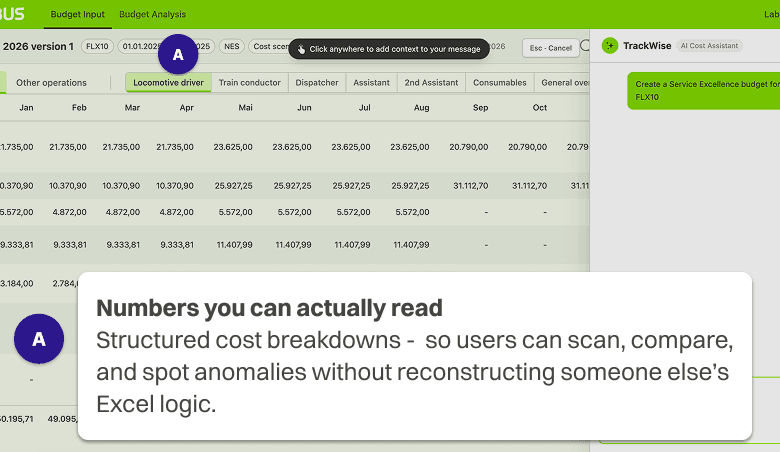
The real insight came when we noticed users were only actively touching around 10% of their Excel file. They’d update one cost figure - a partner price change, an inflation adjustment, and the entire file would recalculate instantly. Everything else was passive: reading totals, scanning breakdowns by month, week, route, partner, year-on-year.
That changed everything. Users didn’t need a powerful tool. They needed an effortless one. When we showed early designs, users actually said “is that it? Feels too simple” and that reaction told us we’d got it exactly right.
The question that almost killed the project
Early in the project the team asked the obvious question: if AI can handle the calculations, why build an interface at all? It was the right question to ask and the wrong conclusion to reach.
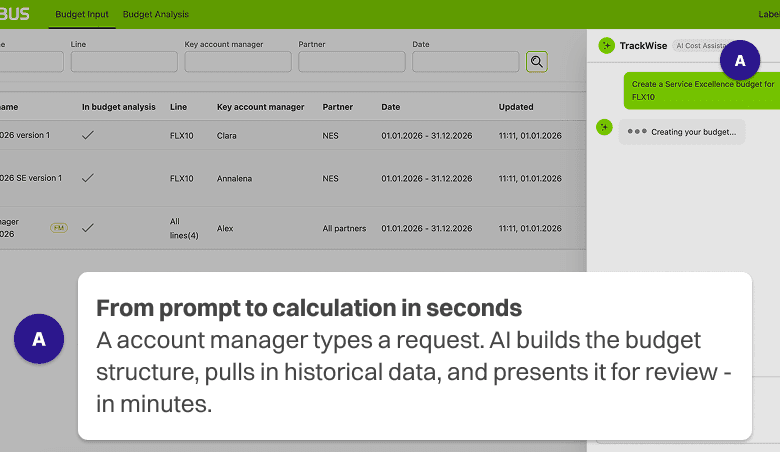
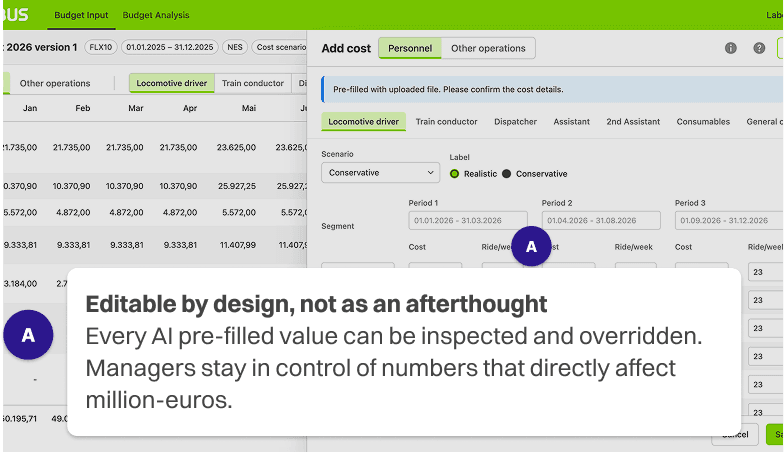
The data is too negotiated, too contextual, too human to automate entirely. A partner offering a better rate if you bundle two routes - that lives in a Manager's head, not a formula. So we made a deliberate architectural decision: AI handles the repetitive work, the human handles the judgement. Every AI action is visible, editable, and overridable. Not because we didn’t trust the AI but because the users needed to trust themselves using it.
Outcome
Impact
Three results: for the people doing the work, the teams depending on it, and the business relying on it.
01
Millions in costs. Finally in one place.
Operations cost data for the entire train network, previously scattered across tens of private Excel files, now lives in a single shared database. Accounting, HR, and leadership can access it without asking anyone to resend or reformat anything.
02
Managers make calls. Without waiting.
With live cost totals visible as they work, Account Managers can evaluate a partner offer, run a negotiation, and commit to a number - without waiting days for accounting to confirm the maths separately.
03
Tested before it shipped. Trusted from day one.
We tested the AI prefills and overrides with Account Managers before launch, not after. Because they shaped the tool while it was being built, they trusted it from day one, with no parallel spreadsheets kept just in case.
The expertise still belongs to the Account Managers. The tool just means it no longer lives in a file only one of them can read.
UI showcase
Three key interaction moments - the list view, the cost input, and the data breakdown with AI assistance.




What I'd take forward
01
Complexity doesn’t mean complicated design
The Excel files were intimidating. The tool doesn’t have to be. The hardest design decision was what not to show — cutting down to what each user actually decides, not everything they technically could see.
02
AI earns trust through transparency, not automation
Every AI feature we built had a manual override and a visible audit trail. Users trusted the tool more when they could see what the AI had done and correct it. Automation without visibility creates anxiety, not efficiency.
03
Designing for two mental models in one product
Accounting and Account Managers see the same data through completely different lenses. The structural decision to give each user their own entry point, while sharing the same underlying database, was what made the product viable for both.